
- Version
- 1.3
- Studio or maker
- Dan Schumacher
- Languages
- English, Chinese (Traditional), Chinese (Simplified), Korean, Thai, Japanese
- Activation
- Not required
- Chip type
- Apple Silicon, Intel 64-bit
- Tried out on
- macOS Golden Gate, Mac mini 2024 M4
- First released
- 19.10.2026
- Voice languages
- Music only
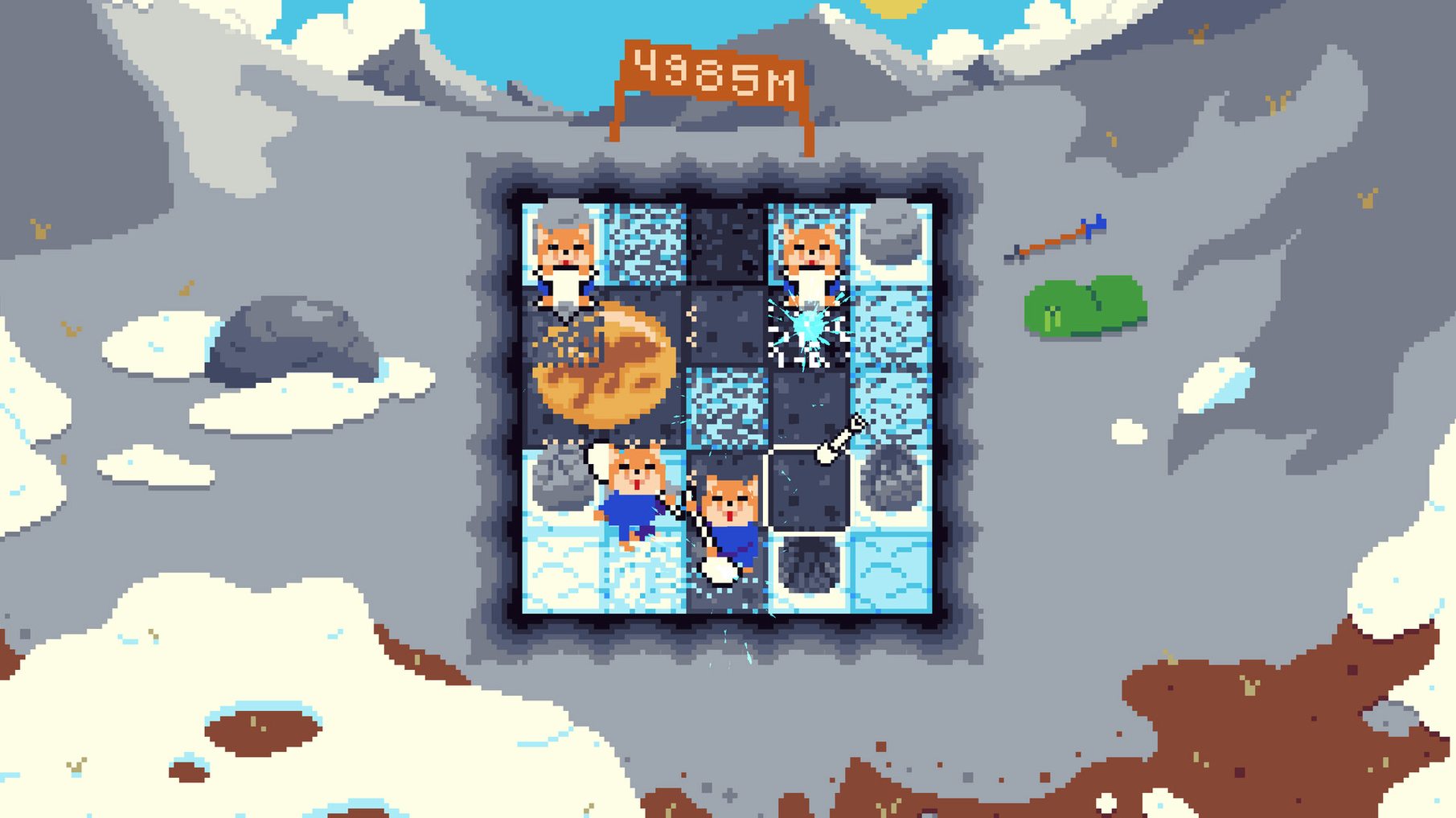
Big Dig is a short narrative incremental digging game about helping Mayor Dog win the election by unearthing artifacts.
What the game does
Digging and progression — You dig through beaches, suburbs, lakes, schools, and other locations as you build a highway. New tools become available as construction moves forward.
Helpers and upgrades — You can hire helpers to speed up the digging. Artifacts you find go into a museum, which you can expand with new halls and decorations.
Completed adventure — The game has an ending, so it’s a finished experience, not an endless loop.
Languages and system
The game supports English, Traditional Chinese, Simplified Chinese, Korean, Thai, and Japanese. It runs on both Intel and Apple Silicon Macs. The macOS version is not listed on the store page, but the system is supported.
A short scenario from a specific kind of user
I teach maths, so my brain leans into systems that unfold bit by bit. One afternoon a student from the game club, Max, stayed late because his parents were stuck in traffic. I told him it is a narrative incremental digging game and that the whole thing takes about three to four hours. He sat down, started digging through the beach, and before his mother arrived he had hired his first helper and found two artifacts. He kept asking, "What is next?" That is the pattern the game sets up well. For someone like Max, who does not usually finish long games, a short structure with clear steps worked. The election story kept him curious enough to want to see the next location.
Which Mac users benefit from short burst play
I think this game suits several kinds of Mac users. People who play games in short bursts, maybe between classes or after work, will appreciate the incremental pacing. Each session moves you a bit further along the highway. If you enjoy a clear story with an ending, Big Dig gives you that without asking for a long commitment. Players who like to collect and display things will find the museum expansion satisfying. And for anyone who has a Mac with Apple Silicon, the game runs without any extra steps or compatibility layers. I have seen teachers and students alike pick it up during lunch and make steady progress over a week. The language support means it also works well in multilingual households or classrooms where someone prefers reading in Chinese, Korean, Thai, or Japanese.
Start digging right away and learn as you go
Here are a few things I have noticed help when you start.
- Start digging right away. The game introduces mechanics as you go, so there is no need to read a manual. Just open it and click.
- Hire a helper early. The first helper costs little and noticeably speeds up the early locations. You can keep digging while the helper works on a different spot.
- Visit the museum when you find an artifact. Placing artifacts in the museum earns income over time. Even a small display helps fund new equipment faster.
- Expand the museum as soon as you have income. More halls mean more artifacts on display, which increases the income rate. It compounds well.
- Pay attention to the story. The narrative is short, but it gives context to each location. Reading the dialogue makes the upgrades feel more meaningful.
- Save often if you stop mid-session. The game autosaves at certain points, but I have found that manually saving before closing keeps progress safe.
Clear a location to unlock the next highway stretch
One task you will repeat several times is clearing a location to open the next stretch of highway. Here is a workflow I use.
- Start digging the current location manually. Click on the dirt to clear the top layer. This earns the first coins quickly.
- The cost scales with the location, so the cheapest option is always affordable after a few clicks.
- Hire a helper. Once you have enough coins, hire one helper. Assign them to a spot you already cleared partly. They keep digging while you focus on a different area.
- Check the museum. If you found an artifact in this location, place it. If the museum has room, the artifact starts generating income immediately.
- It speeds up the last stretch of a location considerably.
- Keep digging until the progress bar fills. Each location has a clear indicator of how much remains. Once it reaches the end, the highway moves forward and the next area opens.
This workflow takes about twenty minutes per location, depending on how often you check the museum and hire additional helpers. The game does not punish slow play, so you can adapt the pace to your own schedule.
- macOS version not specified on store page; macOS is supported
- Architecture: Intel and Apple Silicon
Questions I keep getting
Can I play Big Dig in languages other than English?
Yes, it supports Traditional Chinese, Simplified Chinese, Korean, Thai, and Japanese.
Does the game have an ending?
Yes, it is described as a completed adventure with a narrative ending.
How to install
- Open the downloaded file.
- Open the Applications folder in Finder.
- Move the game into the Applications folder.
- After copying finishes, launch the game from Applications or Launchpad.
Similar games






Sign in or join the club to leave a comment.
Nobody has commented yet.