
- Version
- 1.1.29
- Studio or maker
- Rafoli
- Languages
- Russian, English, German, Spanish, Italian, Chinese (Traditional), Chinese (Simplified), Korean, Polish, Portuguese, Turkish, Ukrainian, French, Japanese
- Activation
- Not required
- Chip type
- Apple Silicon, Intel 64-bit
- Tried out on
- macOS Golden Gate, Mac mini 2024 M4
- First released
- 26.10.2026
- Voice languages
- English
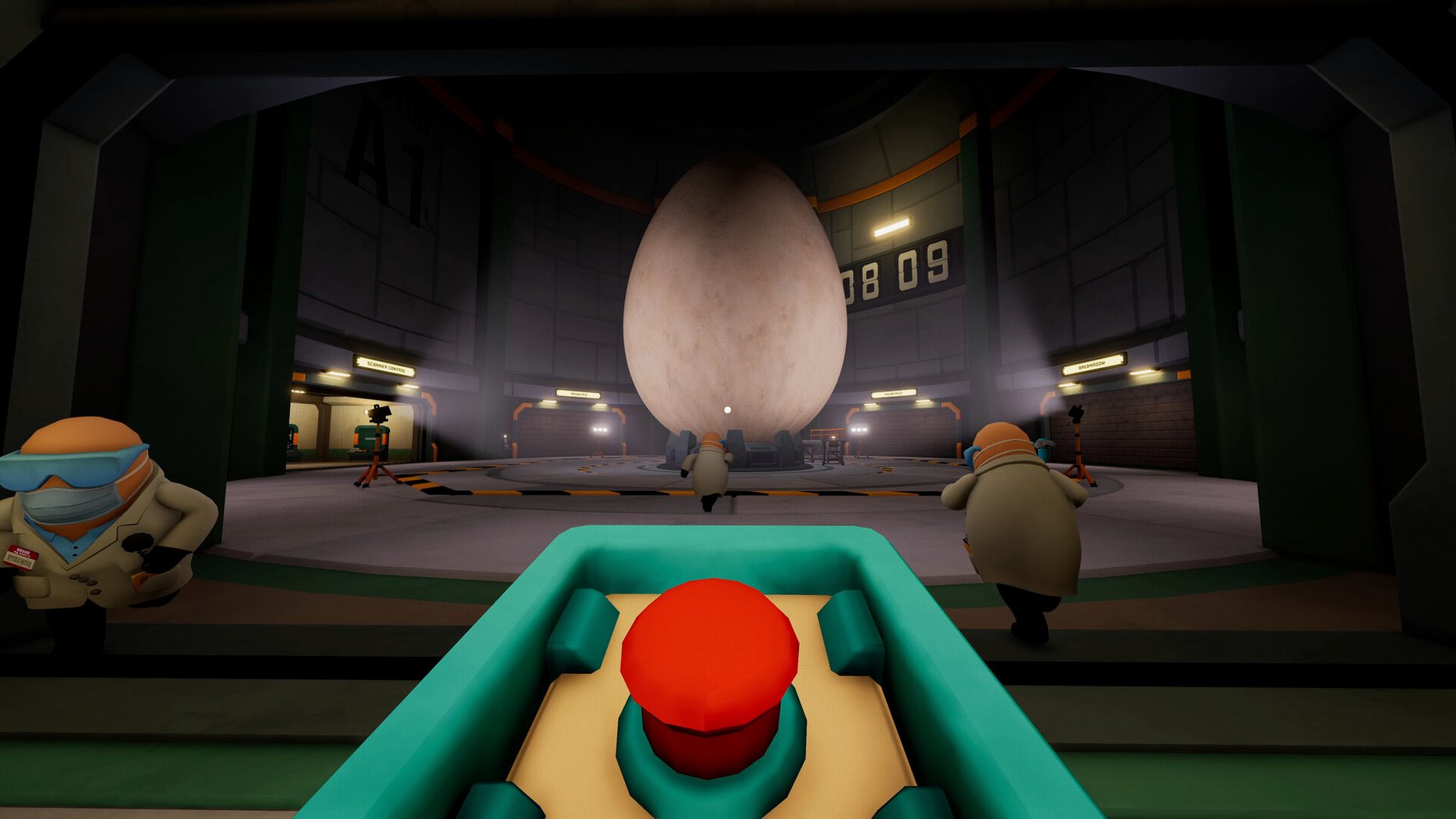
Crack is for players who enjoy a quiet mystery in an enclosed space. You are in a laboratory, and the only way out is to break a giant egg. Listening for clues is part of the work, and each hidden room you open brings you closer to the answer.
Runs on Apple Silicon and Intel Macs
- Does it run on Apple Silicon? Yes, the game supports both ARM and 64-bit Intel architectures. The developer tested it on a Mac mini 2024 M4.
- What macOS do I need? macOS Golden Gate (the version that comes with the M4 Mac mini) or later.
- How do I install it? Open the downloaded disk image, drag the app to the Applications folder alias, and launch it from Launchpad.
- What languages are available? The interface supports 15 languages, including English, German, Russian, French, Spanish, Italian, Japanese, Korean, Polish, Portuguese, Turkish, Ukrainian, and Traditional and Simplified Chinese.
The setting and the goal
The laboratory is not friendly. You move through its corridors, open doors, and solve small puzzles by paying attention to the environment. The egg sits somewhere in the complex, and everything you find points toward it. The game does not hold your hand, but it rewards patience and careful listening. If you like slow exploration with a clear objective, this is a good fit.
I teach an after-school game club, and we often play through a game together for a week before deciding if it stays on the shelf. Here is one way I would work through the first thirty minutes of Crack with a group, starting from a fresh install.
First session workflow, from disk image to first clues
- Open the disk image and drag the app to the Applications folder. This keeps the game in the standard system location so Launchpad finds it. No installer, no extra steps.
- Launch from Launchpad once. The game opens to a menu where you choose your language. English is the only voice language, but the interface text can be set to German, Russian, French, or any of the other thirteen languages. I pick English on the first run so students hear the clues clearly.
- Walk the first corridor without touching anything. The laboratory gives you visual hints before you interact: a flickering light near a door, a sound from behind a wall. Listen first, then open doors.
- Find the first tool upgrade. In the first hidden room you will see something you can pick up. Hold onto it — version 1.1.29 keeps items in your hand after loading a save, so you can set the game down and return without losing progress. Use the tool on anything that looks like it needs prying or turning.
- Return to areas you already passed. The egg reacts to your actions. After you upgrade a tool, a pipe that did nothing before may burst or a door may open. The latest update stops burst pipes once most of the shell is gone, so early floods are temporary and will stop on their own.
How Crack compares with similar Mac adventure games
If you have played Return of the Obra Dinn, you know that game asks you to identify crew members by matching small clues. Crack asks something different: pay attention to the environment and upgrade your tools, but your goal stays visible the whole time. There is no spreadsheet, no timeline to fill. The egg is always there.
The Witness is another comparison. That game scatters puzzles across an island and expects you to figure out the rules on your own. Crack is smaller in scope. You stay inside one building, and the rules come from the laboratory itself — broken pipes, locked cabinets, the sound of water moving. Both games respect your ability to notice things without being told, but Crack is shorter and more contained.
Firewatch is a story-driven walk through a national park. Crack has no radio conversations and no partner. You are alone with the egg. If you liked the solitude of Firewatch but wanted a puzzle that uses the room itself, Crack feels like a natural next experiment.
Switch the language in the pause menu first
Before you start exploring, open the pause menu and check two things. First, the language setting: the game defaults to English, but if you or a student reads another language from the list, switch it now. The voice stays English regardless, so changing the text language does not break the audio clues.
Second, the volume. The game hides clues in ambient sound — a drip that speeds up, a hum from behind a wall. Turn the music down slightly and keep the effects volume higher. You do not lose anything by lowering the music; the laboratory works better when you hear the room itself.
- Held items stay in hand after loading a save.
- Using a computer, scaffolding, carts, chairs, or arcade cabinets no longer makes the player drop held items.
- Burst pipes no longer occur once almost all of the egg shell is gone.
- A flood stuck in a save after that situation now stops by itself.
- Closing the pause menu during the dream sequence no longer locks the mouse to the center of the screen.
- macOS Golden Gate or later
- Apple Silicon or 64-bit Intel processor
- Mac mini 2024 M4 used for testing
Questions I keep getting
How do I save and load my progress in Crack?
The game uses standard save slots. The latest update ensures that held items stay in your hand after loading a save, so you do not lose what you were carrying.
How to install
- Open the downloaded disk image.
- Drag the app to the Applications folder alias.
- After copying finishes, launch the app from Launchpad.
Similar games






Sign in or join the club to leave a comment.
Nobody has commented yet.