- Version
- 1.0
- Studio or maker
- attn. Built for focus
- Languages
- English
- Activation
- Included
- Runs on macOS
- macOS 12 or later
- Chip type
- Apple Silicon, Intel 64-bit
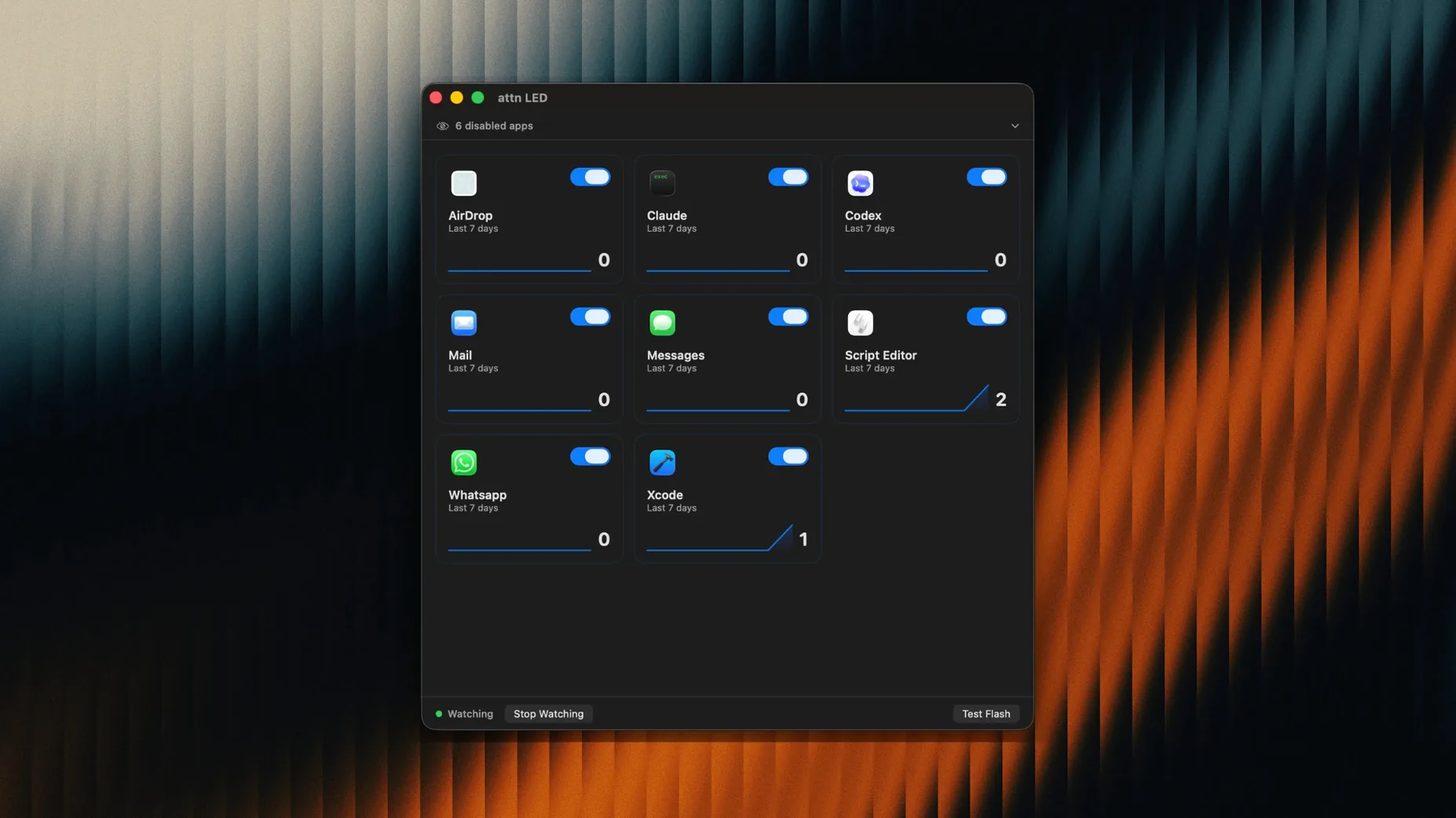
Attn LED 1.0 turns your MacBook’s camera indicator into a notification light you can see from across the room. It works without sounds or banners, so it fits well during class prep, grading sessions, or any time you keep the Mac in Do Not Disturb or Focus mode. The light automatically stops blinking during FaceTime and other video conferences, which keeps your calls clean.
What an experienced user checks: per-app control and architecture support
- Per-app control: limit LED notifications to selected apps such as Slack, Mail, Messages, Discord, Teams, and Telegram.
- Architecture support: runs on both Apple Silicon and Intel (x86 64-bit) Macs.
- Focus-friendly: designed for users who already keep their Mac in Focus or Do Not Disturb modes.
- Automatic video call detection: no manual toggle needed before a meeting.
The camera LED becomes a silent alert for chosen apps
The camera LED on a MacBook is a physical light — visible, discreet, and impossible to miss. Attn LED gives you a way to use that hardware as a silent alert. You choose which apps trigger the light, and the app handles the rest. If you have a stack of student work to get through but still need to notice an important Slack ping, this saves you from checking the screen constantly. The app sits quietly in the background and only blinks when it should.
Version 1.0 brings deliberate choices for daily use
Version 1.0 is the first public release, so there is no list of updates to compare. What exists from the start is a set of deliberate choices that matter in daily use. The app monitors the macOS notifications database through FSEvents, which means it works around Focus Mode limits. That detail alone changes how you can work: you do not have to leave Do Not Disturb to receive a physical cue. The LED keeps blinking until you open the related app, which acts as a soft reminder that does not disappear into a stack of banners.
The automatic pause during video conferences is built into this version. It detects FaceTime calls and other video meetings and stops the LED without you touching anything. For a teacher who runs a game club after school, that means one less thing to toggle when jumping between grading and a quick staff call.
Select which apps trigger a blink before running
Before you let the app run in the background, decide which apps are worth a blink. The app can limit LED notifications to selected apps such as Slack, Mail, Messages, Discord, Teams, and Telegram. That list is your starting point. I would open the settings and uncheck anything that sends routine updates — nobody needs a blinking light for every CC’d email. Keep Mail for flagged messages if your workflow uses that, but for most people Slack and Messages are the ones that matter during focused work.
The app can also automatically detect new apps with notifications. That is useful if you install something mid-semester, but I prefer to approve each one manually at first. A quick scan of the app list every few days keeps the blinking under control. If you notice the light flashing too often, trim the list back. The whole point is fewer interruptions, not more.
Friday afternoon grading tests with Do Not Disturb and LED alerts
Friday afternoon, after the last lesson. I sit down with a stack of maths tests to grade and a Mac running Do Not Disturb. The screen is off half the time while I work through paper sheets. Attn LED is already configured to blink only for Slack and Messages.
A colleague messages about the after-school game club schedule. The camera LED blinks once, twice. I glance across the room, see the light, and finish the problem set I am marking. When I open Messages, the blink stops. No sound, no banner, no distraction from the grading flow.
Later, a student sends a late homework question via Slack. The light blinks again. I choose to answer it after I finish the current test. The LED stays on until I open Slack, so I do not forget. When a video call reminder pops up twenty minutes later, the LED automatically goes quiet — the app detected the conference and paused without any input from me.
By the end of the session, I have graded thirty tests, answered one student question, and coordinated a club meeting. The Mac never made a sound. The blinking light was the only cue I needed.
- macOS 12 or later
- Apple Silicon or Intel processor
Questions I keep getting
Does Attn LED blink during video calls?
No, it automatically stops blinking during FaceTime calls and other video conferences so the light does not interfere.
How to install
- Open the downloaded disk image.
- Drag the app to the Applications folder.
- After copying finishes, launch the app from Launchpad.
Similar apps





Sign in or join the club to leave a comment.
Nobody has commented yet.