- Version
- 12.0.8.2
- Studio or maker
- DVDFab.cn
- Languages
- Russian, English, German, Arabic, Bulgarian, Hungarian, Greek, Danish, Spanish, Italian, Chinese (Traditional), Chinese (Simplified), Korean, Dutch, Norwegian, Polish, Portuguese, Romanian, Slovak, Turkish, Finnish, French, Croatian, Czech, Swedish, Japanese
- Activation
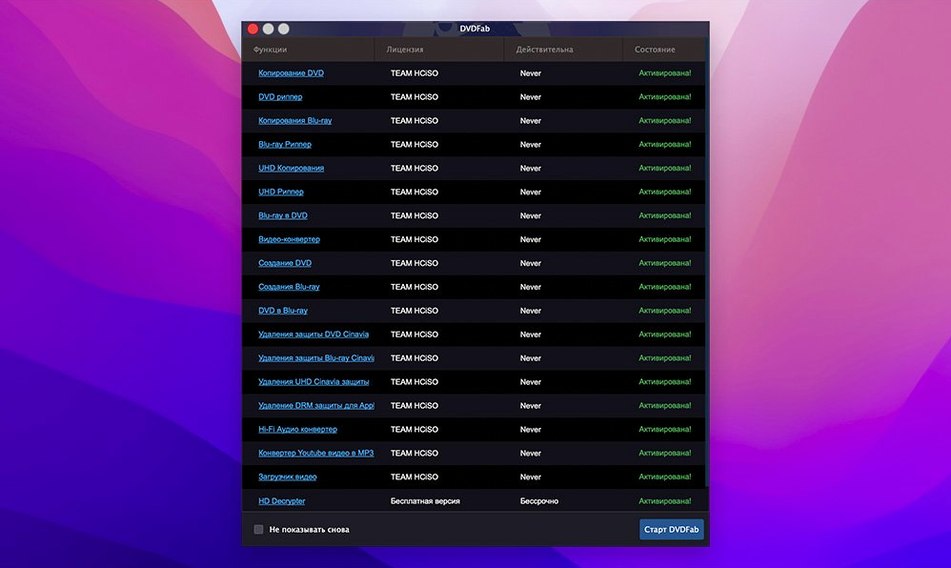
- K'ed by TEAM HCiSO
- Runs on macOS
- OS X 10.10 or later
- Chip type
- Apple Silicon, Intel 64-bit
If you have ever used Disk Utility to burn a disc, DVDFab feels familiar in purpose but goes much further. It bundles copying, ripping, burning, and authoring into one app. For a newcomer, the smartest first moves are the three tasks below.
Clone a DVD exactly
Start with Clone. It makes a 1:1 copy of a DVD, including menus and extras. Pick the source disc, choose a destination, and let it work. This is the fastest way to see the app's core strength.
Split a DVD-9 into two DVD-5s
If you have a dual-layer disc that won't fit on a standard blank, use Split. DVDFab divides the content across two single-layer discs, keeping the main movie intact. It's a lifesaver for older collections.
Build a custom DVD
With Customize, you select which titles to include and can keep the original menu. This is handy for making a highlights disc from a multi-episode DVD. You get control without losing the familiar navigation.
Using 'Full Disc' when 'Clone' would save time
New users often choose "Full Disc" when "Clone" would do. Full Disc re-encodes the video, which takes longer and can slightly reduce quality. Clone makes a bit-for-bit copy and is faster. The difference matters only if you need to remove protections or change video formats. Otherwise, Clone is the simpler pick.
Another common mistake is ignoring the disc format in the settings. If you burn to a DVD-R when your player expects DVD+R, the disc may not play. DVDFab supports both, so check the media type before you burn. The app also handles dual-layer discs, but you must select the correct target format in the output options.
Some people try to convert a PAL DVD to NTSC without realizing the app keeps the original format by default. If you need the other standard, look for the video conversion settings before starting. Otherwise, the copy will play only on systems that match the source disc's format.
Finally, many skip the write speed setting. Burning at maximum speed can cause errors on older drives or cheaper blanks. Slowing it down to 4x or 8x often improves readability on finicky players.
A step-by-step walkthrough of a skipping concert DVD
Let me walk through an afternoon project. I had a DVD-9 of a concert that skipped badly on my laptop drive, and I wanted a clean copy on a single-layer disc. Here is how it went.
I opened DVDFab, inserted the source disc, and waited for the drive to spin up. The app detected the disc and showed its title structure in the main window. I selected the "Split" copy method because the dual-layer disc was too large for one DVD-5. The app offered to divide the content across two discs. I accepted the default split point, which kept the main concert on disc one and the extras on disc two.
Next, I chose the output folder on my desktop, then clicked the start button. The app read the disc and wrote the first half to my hard drive as an ISO image. After that, I inserted a blank DVD-R and selected "Write Data" from the copy methods. I pointed it to the ISO file, set the burn speed to 4x, and let it write. The second disc followed the same steps.
When both discs finished, I ejected the originals and tested the copies on my living room player. The menus worked, the concert played without skips, and the extras loaded on disc two. The whole process took under an hour, most of it waiting for the drive.
The 'No disc' error and how to fix it with a wipe
The most frequent issue is the app not recognizing a disc. If DVDFab shows "No disc" when you know one is loaded, try cleaning the disc surface with a soft cloth. DVDs with light scratches often read after a wipe. If that fails, the disc may have heavy damage that no software can fix.
Another snag: the app stalls during reading. This usually happens with dual-layer discs that have copy protection. DVDFab removes protections such as CSS and region codes automatically, but some discs with heavy corruption or unusual encryption can slow the process. Restart the app, reinsert the disc, and try again. If it still hangs, use the "Restore IFO" option in the settings to rebuild unreadable navigation files.
Burned discs that refuse to play are another complaint. Check that you selected the correct disc format for your player. Some older devices struggle with DVD+R DL or high-speed burns. Try burning at a slower speed on a different brand of blank media. If your player supports DVD-R, use that for better compatibility.
Occasionally, a custom DVD loses its menu. This happens when you select titles from multiple sources with different menu structures. The app merges them into a new disc, but the original menu only works if you choose a single source. For a custom disc, create a simple menu from scratch using the authoring options, or skip the menu and let the titles play sequentially.
Questions asked before the first install
Native support for M1 and M2 Macs
Yes. DVDFab supports both ARM and 64-bit x86 Macs. It runs natively on M1 and M2 models, so you do not need Rosetta. The same app works on Intel Macs too.
Can it copy a scratched DVD that other software cannot read?
Sometimes. The app has a disc reading engine that handles many damaged discs, especially if the scratches are light and the data layer is intact. For badly scratched discs, try cleaning the surface first. If the app still cannot read the disc, no software can recover it.
Will DVDFab remove copy protection without extra steps?
Yes. The app removes CSS, region codes, RCE, Macrovision, and other protections automatically during copying. You do not need to configure anything. Just select your copy method and start.
Can I convert a DVD for my phone or tablet?
Yes. DVDFab includes a ripping mode that converts DVD video for devices such as iPod, PSP, Xbox 360, Zune, Archos, mobile phones, and PDAs. The output formats are preconfigured, so you pick your device from a list and let the app do the rest.
Is there a way to split a disc without losing the main movie?
Yes, the Split method keeps the main movie on the first disc and moves extras to the second. You can also choose the split point yourself if you prefer a different division.
How many languages does the interface support?
The app is localized into 24 languages, including English, German, Spanish, French, Japanese, Chinese, and many others. You can switch languages in the settings without reinstalling.
- macOS OS X 10.10 or later
- Intel 64-bit or Apple Silicon (ARM) Mac
How to install
- Open the downloaded disk image to mount it.
- Drag the DVDFab app into the Applications folder shortcut. This keeps it accessible from Launchpad and Spotlight.
- After copying finishes, launch the app from Launchpad.
Similar apps

Sign in or join the club to leave a comment.
Nobody has commented yet.