
- Version
- 2.7.0.16
- Studio or maker
- TunesKit
- Languages
- English
- Activation
- K'ed by TNT team
- Runs on macOS
- OS X 10.11 or later
- Chip type
- Intel 64-bit
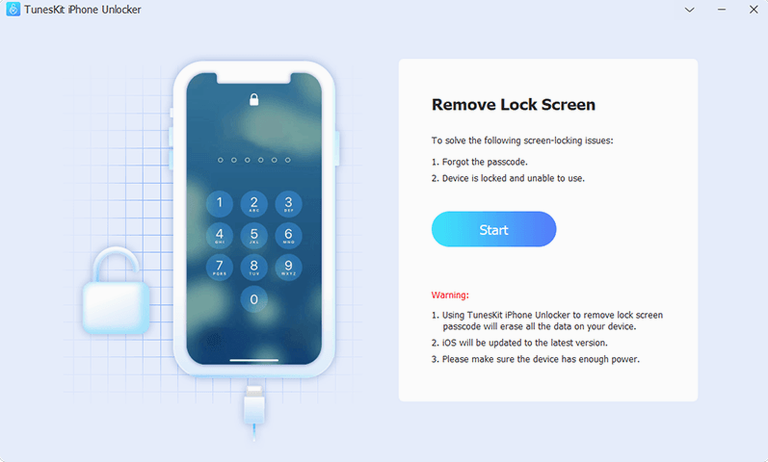
Version 2.7.0.16 of TunesKit iPhone Unlocker continues to focus on one task: removing locks from iOS and iPadOS devices. It can handle standard passcodes, Face ID failures, MDM locks, and Screen Time restrictions on iPhone, iPad, and iPod touch. If you manage a household or a small fleet of devices, this is a straightforward app to keep alongside your existing Mac utilities.
The app runs on macOS 10.11 and later, but only on Intel x86 64-bit machines — no Apple Silicon support in this version. The installer asks you to mount the disk image, run a script called Open Gatekeeper friendly, and press Enter in Terminal to bypass Gatekeeper. After that, you drag the app into Applications and launch it. It is not a background tool; you open it when a device needs unlocking.
For a Mac user who already has device management or recovery tools, TunesKit iPhone Unlocker fills a specific gap. It does not replace general maintenance apps but sits next to them, ready when a forgotten passcode or a locked MDM profile blocks access. The interface is in English, and the workflow is guided step by step.
Supports iPhone 5s through iPhone X, not newer iOS versions
The first mistake I see is expecting the app to work on devices running iOS versions newer than what it supports. The official product page states that iCloud Activation Lock removal works on iPhone 5s through iPhone X on iOS 12.0 through 16.7.15. If you try to unlock a newer model or a device with a more recent iOS version, you will not get results. Always check the iOS version on the locked device before starting.
Another common error is skipping the Gatekeeper bypass step. The installer includes a script called Open Gatekeeper friendly for a reason. If you drag the app into Applications without running it first, macOS will block the software from making the necessary system-level connections. I have heard from colleagues who thought the app was broken when really they just needed to press Enter in Terminal as instructed.
Beginners also sometimes assume the app can handle every type of lock in one click. It can address passcodes, Face ID and Touch ID problems, MDM locks, and Screen Time locks, but each situation may require a different approach. Do not expect a single button that fixes everything. Read the on-screen prompts carefully and follow them step by step.
A final point: people forget that this tool works on iPads and iPod touch devices, not only iPhones. If you have a tablet or an older music player stuck on a lock screen, give it a try before assuming it only applies to phones.
IT coordinator unlocking ten shared iPad minis after a morning lockout
Imagine a small private school with a set of old iPads used for classroom quizzes and reading apps. The IT coordinator, who is also a part-time maths teacher, manages ten iPad mini units shared across year groups. One morning, a student enters the wrong passcode too many times on one iPad, and the device locks completely. Face ID is not set up, and the Touch ID sensor on that model is unreliable. The coordinator does not have time to factory reset the iPad and lose the installed quiz apps.
She downloads TunesKit iPhone Unlocker onto the school's shared iMac, follows the installation steps, and connects the locked iPad via USB. After a few guided steps in the app, the passcode lock is cleared. The iPad boots normally, all apps remain installed, and the next class uses it the same afternoon. She keeps the app on the iMac for the rest of the term, ready for the next forgotten code or accidental lockout.
Works alongside Finder and Terminal for device management
TunesKit iPhone Unlocker works alongside common Mac utilities like Apple's own Finder or the Terminal. You already use those tools for basic device management. This app does not replace them. You connect a locked device, run the unlocker, and then use standard macOS file management or backup tools to handle the device afterwards.
If you keep a folder of recovery tools on your Mac — something like a toolkit for device repairs — this app fits naturally there. It does not conflict with device backup software, iOS data recovery tools, or iCloud management apps. It simply adds a recovery capability that those tools usually lack.
TunesKit iPhone Unlocker removes passcodes and Apple ID locks, though the "tuneskit iphone unlocker torrent" version often harbors malware. Some people also look for tuneskit iphone unlocker crack download or tuneskit iphone unlocker full version free download. Version 2.7.0.16 here is already activated and ready to use, so you can skip those searches and focus on the actual unlocking workflow.
- macOS OS X 10.11 or later
- Intel x86 64-bit processor
How to install
- Mount the disk image and run Open Gatekeeper friendly. This step prepares the installer and handles macOS’s security checks.
- Press Enter in Terminal to bypass Gatekeeper. A quick terminal command lets the app run without being blocked.
- Drag the app into the Applications folder. This places it where macOS expects installed software to be.
- Launch the app when installation is complete. You can start using it right away.
Similar apps






Sign in or join the club to leave a comment.
Nobody has commented yet.