
- Version
- 2.1.6
- Studio or maker
- VideoByte
- Languages
- English, German, French, Japanese
- Activation
- K'ed by TNT team
- Runs on macOS
- OS X 10.10 or later
- Chip type
- Intel 64-bit
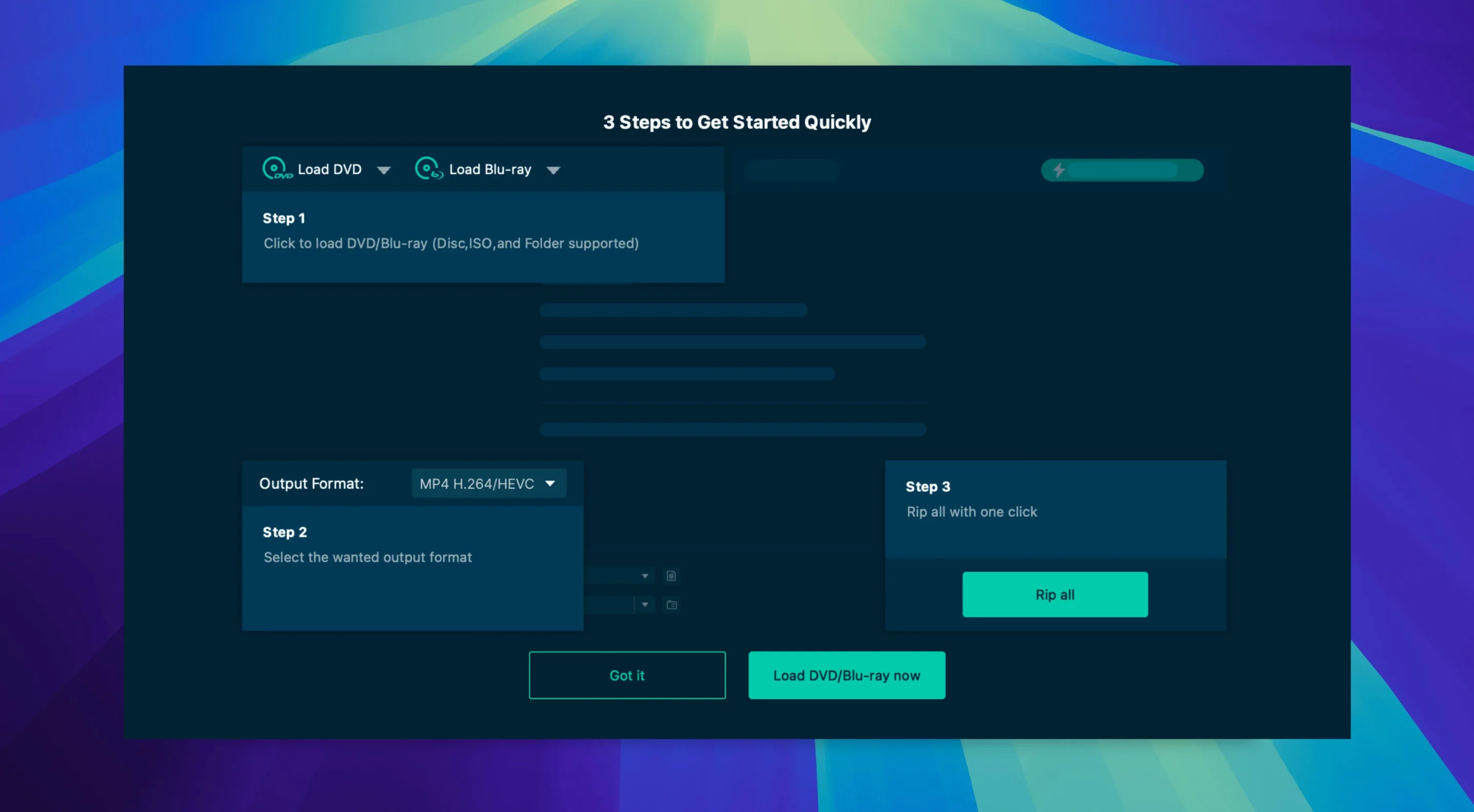
If you have moved past basic ripping and need control over audio tracks, subtitles, and protection removal, VideoByte BD-DVD Ripper offers the kind of depth that matters. It handles both Blu-ray and DVD discs, and the developer says it works on macOS 10.12 through 15.x. The version here is 2.1.6.
- It strips common commercial protections: CSS, AACS, BD+, Cinavia, APS, and CPRM. That means discs that refuse to play in other software can often be read here.
- Hardware acceleration uses NVIDIA, Intel, and AMD technologies, which keeps encoding faster on supported Macs.
- Original audio tracks and subtitles can be kept as-is, which matters when you want a faithful archive of a foreign film or a director’s commentary.
- You can trim, rotate, crop, add a watermark, and apply filters and effects before encoding, so the output is cleaned up or adjusted to your specs.
- Output covers MP4, MKV, MOV, WMV, MP3, and AAC, plus more than 300 other formats. It also handles audio-only extraction from video tracks.
The interface is available in English, German, French, and Japanese, which makes it usable in a multilingual classroom or home setup.
- macOS OS X 10.10
- Architecture: Intel
Questions I keep getting
What protection schemes does VideoByte BD-DVD Ripper remove?
It removes CSS, AACS, BD+, Cinavia, APS, and CPRM from commercial Blu-ray and DVD discs.
Does it keep subtitles and original audio?
Yes, you can preserve original audio tracks and subtitles when ripping a disc.
How to install
- Mount the disk image and run the Gatekeeper-friendly launcher.
- Press Enter in Terminal to bypass Gatekeeper.
- Drag the app to the Applications folder.
- Open the app from Applications after installation.
Similar apps




Sign in or join the club to leave a comment.
Nobody has commented yet.