
- Version
- 10.15.0
- Studio or maker
- YT Saver
- Languages
- Russian, English, German, Indonesian, Spanish, Italian, Chinese (Traditional), Chinese (Simplified), Korean, Portuguese, French, Japanese
- Activation
- K'ed by TNT team
- Runs on macOS
- OS X 10.10 or later
- Chip type
- Intel 64-bit
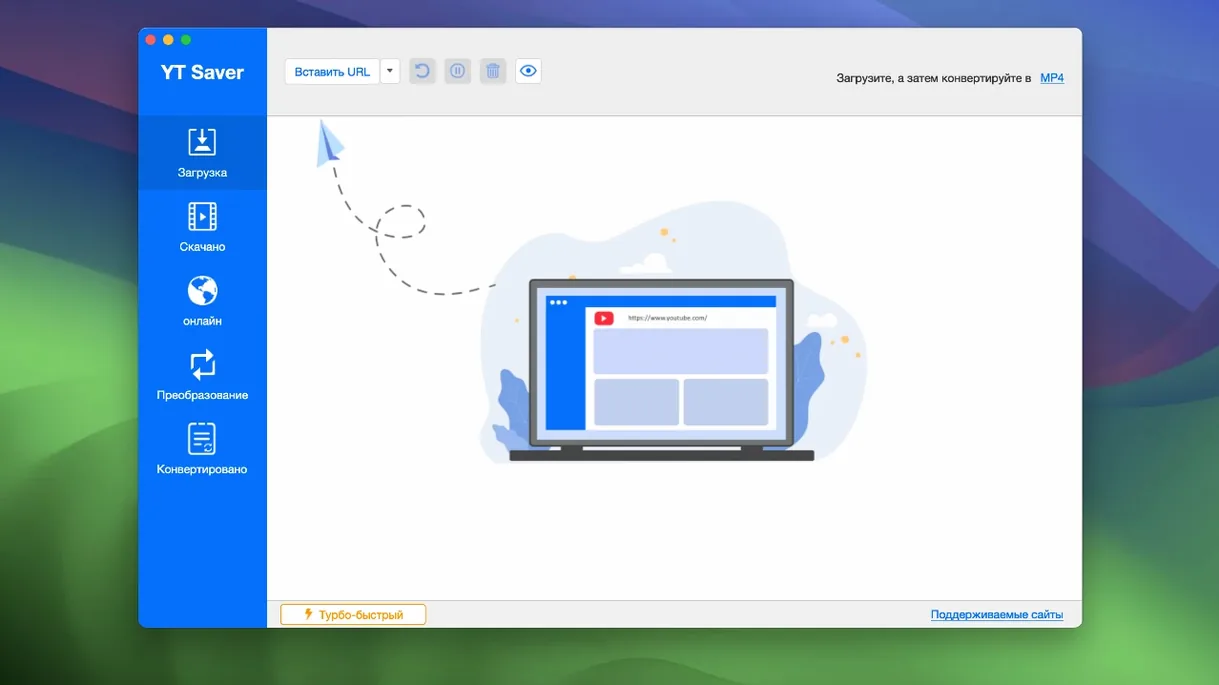
A teacher who runs a school game club might not sound like the person who needs a video downloader. But when you prepare classroom materials — a short clip from a science channel, a podcast excerpt for listening comprehension — having a reliable tool saves time. YT Saver for Mac handles that job without fuss.
Open the app and you get a built-in browser, so you can visit video or audio sharing sites directly inside the downloader. Find what you need, hit download, and the app pulls it down at higher speed than standard downloads. It handles single videos, whole playlists, and audio-only files. And because classrooms rarely have perfect internet, the ability to queue several downloads at once means you grab everything during a break and have it ready when you need it.
Once the file is on your Mac, YT Saver converts it. The list of supported audio formats is long — AAC, FLAC, WAV, OGG, OPUS, and more — so you can match whatever device or editing software you use. The app runs on Intel Macs and needs macOS 10.10 or later.
Private mode stores downloads in a password-protected folder
The private mode is one of those features that sounds simple but becomes useful quickly. It stores anything you download inside a password-protected folder. If you share your Mac with students, family members, or colleagues, it keeps your downloads separate without needing to remember where you put them each time. Set the password once, and the app handles the rest.
The built-in browser does more than let you search. You can preview a video before committing to the download, check whether the audio quality matches what you need, or skip through a long playlist to pick only the segments that matter. It means fewer wasted downloads and less time deleting files you did not want.
Simultaneous downloads work well for batch preparation. If you are collecting a set of short clips for different lessons, start them all at once and let the app manage the queue. You do not need to wait for one to finish before starting the next.
Standalone app gives more control over formats and destinations
Most Mac video downloaders fall into two groups: browser extensions that catch links as you browse, and standalone apps that give you more control over formats and destinations. YT Saver belongs to the second group, and its main strength is the breadth of supported sites. The app claims to work with more than 10,000 websites, which covers not just the major video platforms but also many streaming and sharing sites that smaller tools miss.
Compared to a tool like 4K Video Downloader, YT Saver includes its own browser rather than relying on you to copy and paste URLs. That makes a difference when you are browsing for content on a site that does not provide obvious share links, or when you want to preview the video before deciding to save it. The private mode is also something most competitors leave out.
Another alternative is Downie, which is known for a clean interface and wide site support. Downie does not include a built-in browser or a private folder option. YT Saver trades some interface polish for these extra features. The conversion list in YT Saver is also noticeably longer, especially on the audio side, with formats like OPUS, CAF, and M4B that are not common in other downloaders.
If your work involves a mix of video platforms or unusual audio formats, you will find YT Saver covers more ground than most single-purpose tools.
Runs on Intel Macs from 2014 onward in twelve languages
The app runs on Intel Macs with macOS 10.10 or later. That means any Mac from approximately 2014 onward should work, including older models that newer software sometimes leaves behind. The interface is available in twelve languages — English, German, French, Spanish, Italian, Portuguese, Russian, Indonesian, Korean, Japanese, and both Traditional and Simplified Chinese — so switching between languages is straightforward if you work in a multilingual school or home.
Installation follows the classic Mac approach: mount the disk image, approve the app through Gatekeeper, and drag it into your Applications folder. The process is the same as for many third-party Mac apps, and you only need to do it once. After that, the app opens like any other program on your computer.
The built-in browser works within the app window, so you do not need to switch between your web browser and the downloader. It is a small thing, but it keeps your desktop less cluttered when you are working through a list of videos.
Exports to MP4, MOV, WAV, and AAC for QuickTime and iMovie
Because YT Saver exports to common formats like MP4, MOV, WAV, and AAC, the files work directly in Apple’s QuickTime Player, iMovie, and the macOS Finder preview. You do not need to install extra codecs or conversion tools to see what you downloaded. Drag a file into iMovie for trimming, or play it in VLC if you need subtitles or chapter navigation.
For teachers, this means a clip saved in the morning can be dropped straight into a presentation or a shared Google Drive folder without extra steps. The audio exports — FLAC for high-quality archives, MP3-compatible formats for portable players — are equally straightforward. If you use Audacity or another audio editor on Mac, the WAV or AIFF exports import without any conversion step.
The private folder integrates with macOS file management. Once you unlock it through the app, the content behaves like any other folder. You can copy files out, rename them, or drag them into other applications. The password protection is only for the initial access; after that, standard macOS file permissions apply.
For anyone who uses yt saver mac for regular content collection, the combination of the built-in browser and simultaneous downloads means you can set up a batch, walk away, and come back to a folder full of ready-to-use media. It fits into a workflow that already uses macOS native tools without demanding new habits.
- macOS 10.10 or later
- Intel processor
Questions I keep getting
Can YT Saver download more than one video at a time?
Yes, it supports simultaneous downloads of multiple videos, so you can queue several at once.
What audio formats does YT Saver support for output?
It supports AAC, AC3, FLAC, M4A, WAV, WMA, AMR, MKA, MP2, AIF, AU, AIFF, CAF, OGG, RAM, RA, M4B, M4R, APE, OPUS, and WEBM.
How to install
- Mount the disk image and launch the installer — it opens Gatekeeper friendly.
- Press Enter in the Terminal window to bypass Gatekeeper.
- Drag the app into your Applications folder.
- Start using YT Saver.
Similar apps






Sign in or join the club to leave a comment.
Nobody has commented yet.