
- Version
- 24.0.15
- Studio or maker
- Adobe
- Languages
- Russian, English, German, Spanish, Italian, Dutch, Polish, Portuguese, Turkish, French, Czech, Swedish, Japanese
- Activation
- Included
- Runs on macOS
- macOS 12 or later
- Chip type
- Apple Silicon, Intel 64-bit
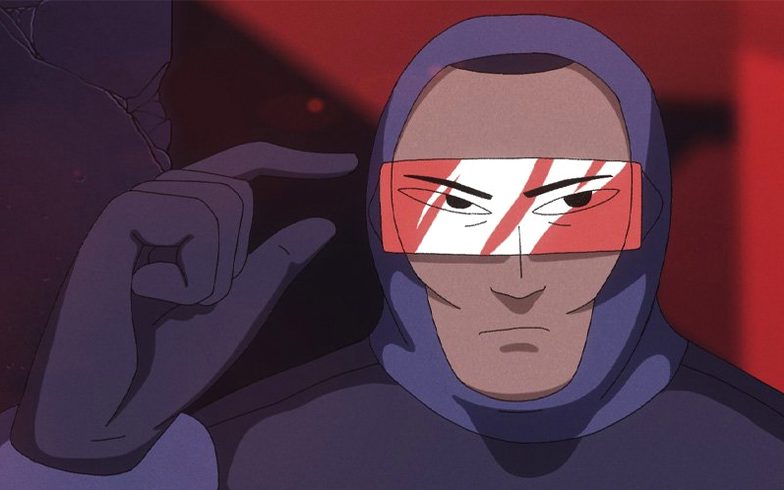
If you have used Flash Professional, you already know the basic idea behind Adobe Animate: a timeline, keyframes, and vector shapes that move. The current version builds on that foundation for modern screens.
Runs on Intel and Apple Silicon Macs
Adobe Animate 24.0.15 requires macOS 12 or later and runs on both Apple Silicon and Intel Macs. So whether you are on a newer M-series machine or an older Intel model, the software should start without a hardware surprise.
Vector animation for games, apps, websites, and TV
Animate is meant for vector animation for games, apps, websites, and even TV. You can draw characters, set up frame-by-frame motion for blinking or walking, and then publish to desktop, mobile, or television formats. It also includes illustration tools, so you can design game worlds, intros, or interfaces inside the same app. The current update fixes a Code Hint display issue in the Code Editor and a crash when publishing AIR apps to an iOS device.
A simple workflow
- Create a new project and choose a target platform, like web or mobile.
- Draw your character using the vector brushes and shapes.
- Set keyframes on the timeline to animate movements.
- Add interactivity with code if needed.
- Publish the final file for your chosen platform.
Toon Boom Harmony offers more rigging but a steeper learning curve
Several other animation tools work on Mac, and each has a different focus. Toon Boom Harmony is widely used in professional animation studios. It offers rigging systems and camera tools that go beyond what Animate provides, but the learning curve is steeper. For a secondary school setting, Harmony can feel overwhelming for students who just want to make a character walk across the screen.
Another option is Moho (formerly Anime Studio). Moho has strong bone-rigging and vector tools, and it handles cut-out animation well. The interface is less timeline-heavy than Animate, which some illustrators prefer. However, Animate keeps the classic Flash-style timeline that many teachers and students already understand. If your students have seen old Flash tutorials on YouTube, they can follow similar steps in Animate without retraining.
Then there is Blender, which is free and powerful. Blender handles 2D animation through its Grease Pencil tool, and it also does 3D. The downside is that Blender's interface is complex, and the 2D workflow does not match the straightforward keyframe approach Animate uses. For a school game club focused on quick results, Animate tends to get students animating faster.
Requires at least four gigabytes of free space
How much space does Animate take on the drive? The installer varies, but you should have at least four gigabytes free. The application itself uses more space once you add libraries and project files.
Can I open old Flash .fla files in this version? Yes, you can open .fla files from Flash Professional, though complex ActionScript 3 projects may need small adjustments. The timeline, symbols, and basic tweens carry over well.
Do I need to know coding to use Animate? Not for basic animation. You can draw and move shapes using the timeline without writing any code. Code is only needed if you want interactive buttons or game logic. For a school club project, students can start with pure animation and add code later.
What languages does the interface support? The software includes Russian, English, German, Spanish, Italian, Dutch, Polish, Portuguese, Turkish, French, Czech, Swedish, and Japanese. So if you teach in a language other than English, check the list first.
Can I export to video formats? Yes. You can publish to HTML5 Canvas for web use, or to video through Adobe Media Encoder if you have it installed. The application also exports to SVG if you need scalable graphics.
Set default document type to HTML5 Canvas for web projects
Once you install Animate, a few settings save time later. Open the Preferences panel. Under General, set the default document type to match your typical project. If you mostly make web animations, HTML5 Canvas as the default avoids extra clicks on each new file.
In the Timeline section, consider turning off "Wide" keyframe display if you prefer compact timeline rows. This gives you more room for longer animations.
Under Drawing, check the pressure sensitivity option if you use a graphics tablet. Animate supports tilt and pressure for vector brushes, so enabling this makes your strokes behave naturally. The default setting is often off.
Finally, set the auto-save interval to five or ten minutes. The club members will thank you when a power cut hits during a Friday session.
Students traced scanned paper drawings with vector brush tools
One Tuesday afternoon, a group of four students wanted to create a simple point-and-click adventure for a school project. They had drawn backgrounds on paper and scanned them. In Animate, they traced the scanned images using the vector brush tools to create clean digital versions. One student worked on a character that blinks and turns its head. She used frame-by-frame animation on the timeline, four frames for the blink, six for the head turn. Another student added clickable hotspots on the background by placing invisible buttons over the door and the window. He wrote a short ActionScript snippet to move the character to each hotspot when clicked. The third student set up the scene transitions by adjusting keyframes in the main timeline. By the end of the session, they had one room of the adventure working on screen. The fourth student was already planning the next scene. They exported a test version to HTML5 Canvas and opened it in Safari. It ran, and that felt like a small win. The club continued the project over the next three weeks, adding more rooms and a simple inventory system.
That workflow covers most classroom projects, from a short cartoon to a simple game interface.
- Code Hint no longer missing in the Code Editor.
- Fixed a crash during AIR app installation on an iOS device while publishing.
- macOS 12 or later
- Apple Silicon or Intel processor
Questions I keep getting
Does Adobe Animate work on Apple Silicon Macs?
Yes, version 24.0.15 supports both Apple Silicon and Intel Macs.
What macOS version do I need?
You need macOS 12 or later.
What was fixed in version 24.0.15?
The update fixes a Code Hint display issue in the Code Editor and a crash when publishing AIR apps to a selected iOS device.
How to install
- Download the package and open it.
- Follow the included installation and activation instructions.
Similar apps




Sign in or join the club to leave a comment.
Nobody has commented yet.