
- Version
- 38287r
- Studio or maker
- Pine Studio
- Languages
- English, German, Spanish, Italian, Chinese (Traditional), Chinese (Simplified), Korean, Portuguese, Turkish, French, Japanese
- Activation
- Not required
- Chip type
- Apple Silicon, Intel 64-bit
- Tried out on
- macOS Tahoe, Mac mini 2024 M4
- First released
- 19.10.2021
- Voice languages
- Music only
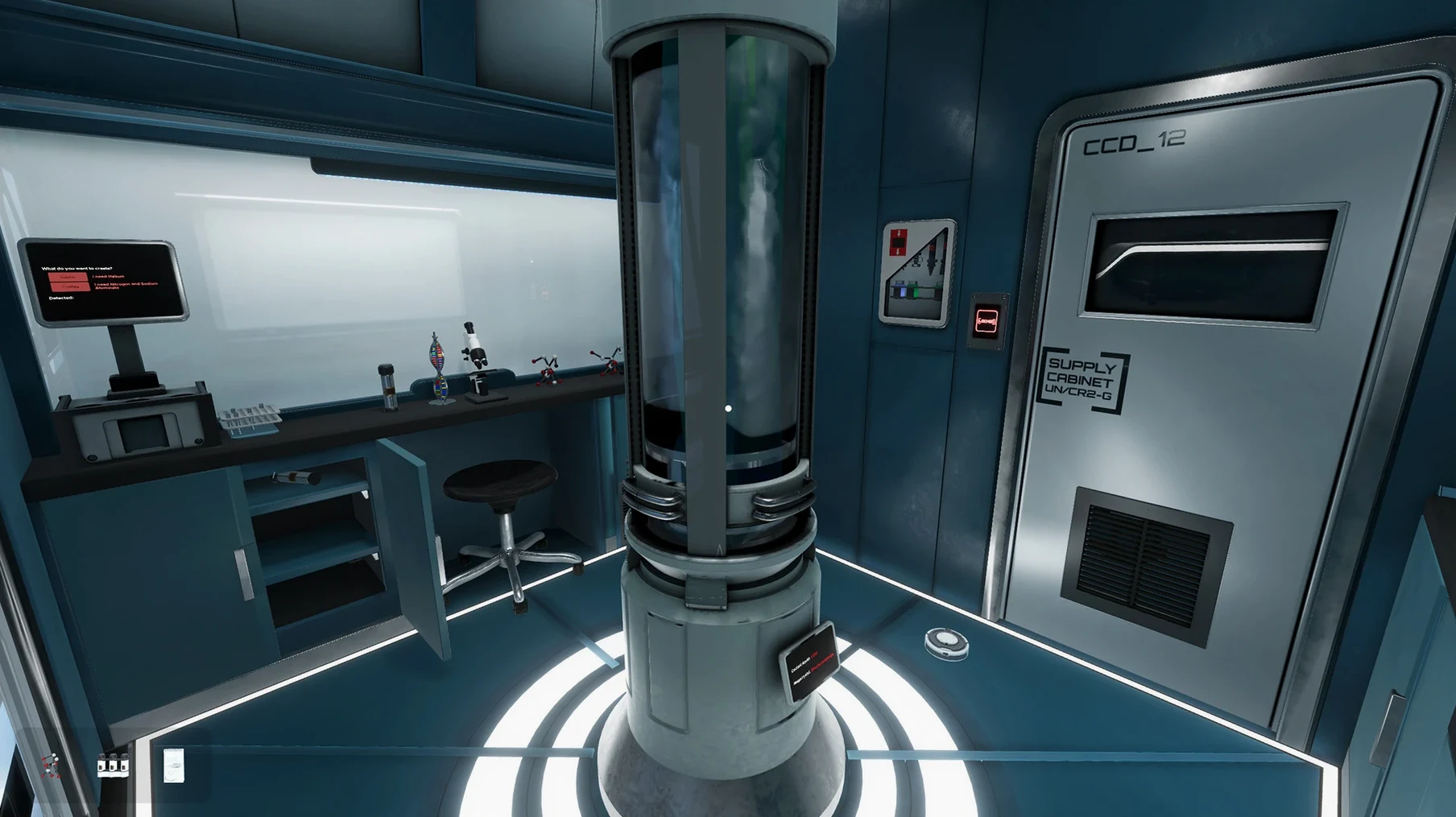
Think of Escape Simulator as the interactive whiteboard of puzzle games. Like the best classroom tools, it gives you a structure — a set of highly interactive escape rooms — and then hands you the marker. The current version (38287r) runs on both ARM and x86 64-bit Macs, tested on macOS Tahoe with a Mac mini 2024 M4.
Solo and co-op puzzles with a room editor and 2000 community rooms
- First-person escape-room puzzles with solo and online co-op play
- A room editor to design your own escape rooms
- Access to over 2000 community-made rooms
Interface and language
Voice language is music only. Interface languages include English, German, Spanish, Italian, Traditional Chinese, Simplified Chinese, Korean, Portuguese, Turkish, French, and Japanese. That covers most of the students I work with.
Community room handling improved in the latest build
The version 38287r build brings the game up to date for current macOS releases. For everyday play, the most noticeable change is how the game handles community rooms. Earlier builds sometimes struggled with the volume of user-created content in the browser; this version loads the room list more reliably, so you spend less time waiting and more time puzzling.
Online co-op also sees improvements in connection stability. The game relies on a broadband internet connection for multiplayer, and the latest build handles dropouts and reconnections better than earlier iterations. If someone in your party loses connection mid-puzzle, the game holds your progress until they rejoin rather than kicking everyone back to the menu.
For room creators, the level editor has received under-the-hood adjustments. Objects snap more consistently when you place them, and the test-play function starts faster. None of this changes how you design rooms, but it makes the process less fiddly, especially when you are building complex puzzle chains.
Reduce look sensitivity if you feel motion‑sensitive
Before you start your first room, consider adjusting a few settings. The game defaults to a fairly wide field of view, which works for most players, but if you feel motion-sensitive in first-person games, reducing the look sensitivity a notch or two helps. You will find this under the controls section in the options menu.
Online co-op players should check their privacy settings before inviting friends. By default, the game allows anyone to send you room invites. Switching invites to friends-only saves you from interruption during solo play. This is a small change, but it keeps the experience focused.
If you play on a laptop, the graphics presets are worth a look. The game remembers your settings between sessions, so you only need to do this once.
Rushing past objects makes you miss tiny clues
The most common mistake new players make is rushing. Escape Simulator rewards patience. Every object in a room can be picked up, turned over, and examined. Beginners often click through items quickly, missing the tiny inscription on the bottom of a vase or the clue hidden inside a book. Slow down. Look at everything from every angle.
Another frequent error is ignoring the furniture. The game lets you move chairs, push desks aside, and open drawers. Some puzzles require you to rearrange the room itself. If you are stuck, try shoving that heavy cabinet. It might be movable even if it looks fixed.
Beginners also forget that community rooms vary wildly in quality. A room with a high play count and recent updates is more likely to be polished and solvable. New players sometimes jump into a room with two plays and no comments, then wonder why the puzzle logic does not make sense. Stick to rooms with at least a few dozen plays until you learn how community designers think.
Finally, do not neglect the hint system. Some players treat hints as cheating. They are not. The built-in hint system is designed to nudge you in the right direction without giving away the full solution. Using it keeps the game fun rather than frustrating.
Runs on Intel and Apple Silicon Macs with 4 GB RAM
Escape Simulator requires macOS High Sierra 10.13 or later. It runs on both ARM and x86 64-bit Macs, so whether you have an Intel model or an Apple Silicon one, it should work. The game needs 4 GB of RAM and 18 GB of available storage for installation. That 18 GB includes room for the base game and room editor plus some room data; if you download many community rooms, your storage use will grow beyond that.
A Metal-capable GPU is listed as a requirement. This covers most Macs from the last several years, including integrated Intel graphics and Apple's own GPUs. You do not need a dedicated graphics card to play.
For online co-op, a broadband internet connection is required. The game does not specify a minimum speed, but standard home broadband handles it without issue. The download size for the game itself is about 2 GB; the rest of the 18 GB requirement covers installed data and room assets.
The install process is straightforward: mount the downloaded disk image, drag the app to the Applications folder shortcut, and after copying finishes, open the app from Launchpad. No activation key or account creation is needed to start playing solo, though online co-op may prompt you to set up a simple profile.
Escape Simulator lets you solve puzzles alone or with friends, using its built-in browser to access community-made rooms. The game handles all room downloads on its own once you are online.
- macOS High Sierra 10.13 or later
- 4 GB RAM
- 18 GB available storage
- Metal-capable GPU
- Broadband internet connection
Questions I keep getting
Can I play with friends?
Yes, Escape Simulator supports online co-op play. You can solve rooms together.
How to install
- Mount the downloaded disk image so your Mac sees it as a virtual disc.
- Drag the app to the Applications folder shortcut — this copies the files to the right place.
- After copying finishes, open the app from Launchpad. It will run from there.
Similar games






Sign in or join the club to leave a comment.
Nobody has commented yet.