- Version
- 1.6.12
- Studio or maker
- lo.cafe
- Languages
- Russian, English, German, Arabic, Afrikaans, Hungarian, Vietnamese, Greek, Danish, Hebrew, Spanish, Italian, Catalan, Chinese (Traditional), Chinese (Simplified), Korean, Dutch, Norwegian, Polish, Portuguese, Romanian, Serbian, Turkish, Ukrainian, Finnish, French, Hindi, Czech, Swedish, Japanese
- Activation
- Included
- Runs on macOS
- macOS 14 or later
- Chip type
- Apple Silicon, Intel 64-bit
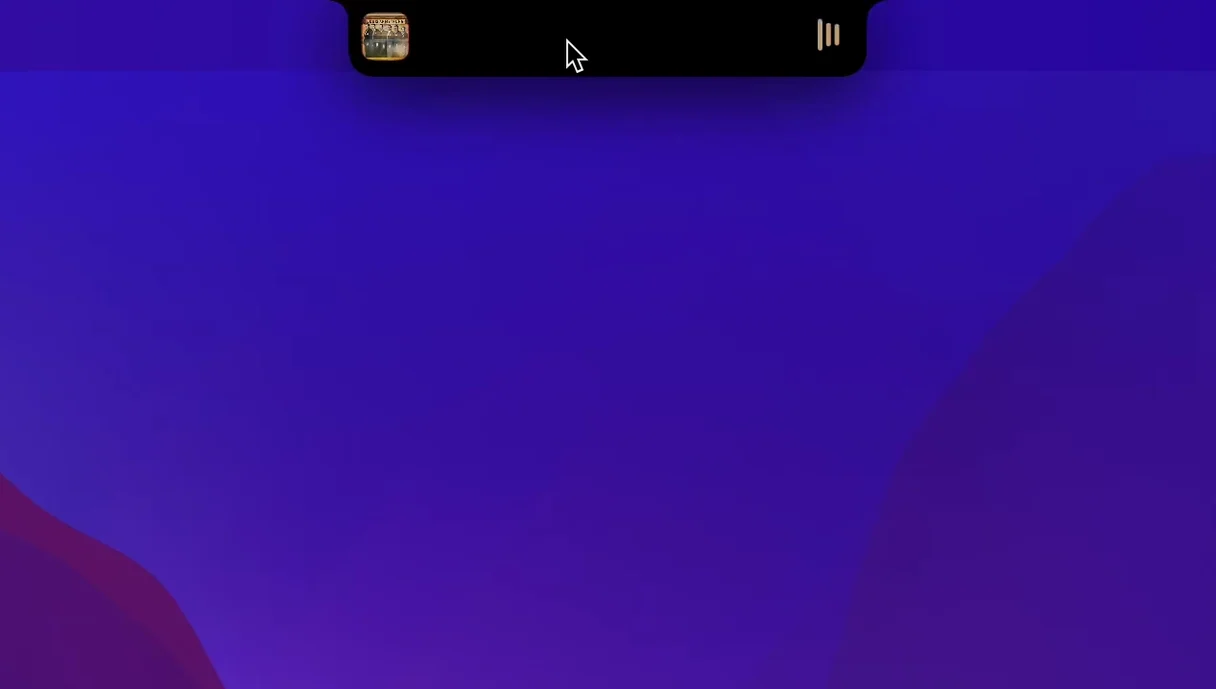
NotchNook 1.6.2 turns the MacBook notch into a small control panel. It works on both Apple Silicon and Intel Macs, as long as you run macOS 14.6 or later. The app adds a file shelf, widgets, and music controls right where the camera sits, so you can reach common tools without opening extra windows.
Who will find it useful
- People who often drag files between folders will like the shelf—drop a document there and grab it later.
- Anyone who listens to music while working can skip tracks or pause from the notch, no need to switch apps.
- Users who miss Live Activities on the Mac can see timers, scores, or delivery updates right from the notch area.
What it feels like in daily use
The notch becomes a place you can click, not just a black cutout. Widgets sit neatly beside the camera, and the music controls respond quickly. It is not a replacement for the menu bar, but it gives you a second spot for the things you check often. The interface is available in English, German, Russian, and many other languages, which helps in a classroom setting.
Does NotchNook permanently change the notch look?
Does it change how the notch looks permanently? No. The app adds interactive elements, but the physical notch stays the same. You can hide the widgets anytime if you prefer the clean look. The controls only appear when you want them, so nothing is stuck to your screen.
Will it interfere with other apps that use the menu bar area? NotchNook sits inside the notch space itself, not the menu bar. Most menu bar apps continue working as usual. If you run full-screen video or a presentation, the notch controls stay out of the way until you move your cursor there.
Do I need to keep it running all the time for the shelf to work? The file shelf is part of the app, so the app needs to be open for files to stay accessible. Once you close NotchNook, the shelf contents reset. It is designed for quick, temporary storage during a work session, not for long-term file keeping.
Can I use it alongside other notch utilities? That depends on the other utility. Some notch tools compete for the same screen space. If you already use a notch app, you may want to close it first, then see how NotchNook fits. The developer lists compatibility with macOS 14.6 and later, but each app works differently.
NotchNook requires macOS 14.6 or later on Apple Silicon or Intel
NotchNook runs on both Apple Silicon and Intel Macs with 64-bit processors. It needs macOS 14.6 or later, so older systems like macOS 13 or earlier will not work. The app comes as a disk image—after you open it, you drag the app to the Applications folder alias. Once the copy finishes, open it from Launchpad.
Version 1.6.2 fix is the current build. The interface supports 38 languages including English, German, Russian, Spanish, Italian, French, Japanese, Chinese (Simplified and Traditional), Arabic, Hindi, and more. If you teach or work in a multilingual environment, students and colleagues can switch to their preferred language.
The shelf clears files after a restart
- Dragging important files to the shelf and expecting them to stay after a restart. The shelf is temporary—think of it as a sticky note for files, not a folder.
- Clicking the notch area expecting instant music playback without having a music app open. NotchNook controls the current player, but it does not launch one. Open your music app first.
- Assuming widgets update in real time for everything. Some Live Activities depend on the source app pushing updates. If a timer or score seems stuck, check the original app to see if it refreshed.
- Forgetting that the app needs macOS 14.6. People on older versions try to install it and get nothing. Check your About This Mac panel before downloading.
Teachers benefit from switching materials without leaving the window
Teachers who switch between class materials, a music player, and a calendar will find the notch controls helpful. Instead of clicking between windows, you can pause a song, check the date, or grab a file from the shelf without leaving the lesson.
Students working on research or writing often have several apps open. The shelf gives them a quick drop zone for screenshots or downloaded PDFs. The calendar view helps them see due dates without opening a full calendar app.
Anyone who uses the Mac for video calls or streaming can keep music controls handy without covering the camera or screen. The notch area stays out of the way during full-screen use, so it does not distract from a presentation or movie.
Users who speak or teach in multiple languages will appreciate the wide language set. The same interface can switch between English, German, Arabic, Hindi, or Chinese, making it practical for international classrooms or shared computers.
If you rarely touch the notch area, the app may not change your workflow much. But if you often reach for the clock, the music player, or a quick file, NotchNook gives you a new place to do those things without digging through menus.
- macOS 14.6 or later
- Apple Silicon or Intel (64-bit)
How to install
- Open the downloaded disk image—the mounted volume appears on your desktop.
- Drag the NotchNook app onto the Applications folder alias, which keeps everything tidy.
- Once the copy finishes, open NotchNook from Launchpad—the first launch may ask for permission to control the notch area.
Similar apps





Sign in or join the club to leave a comment.
Nobody has commented yet.