
- Version
- 4.1.4
- Studio or maker
- CharlesSoft
- Languages
- English
- Activation
- K'ed by TNT team
- Runs on macOS
- macOS 10.14.6 or later
- Chip type
- Intel 64-bit
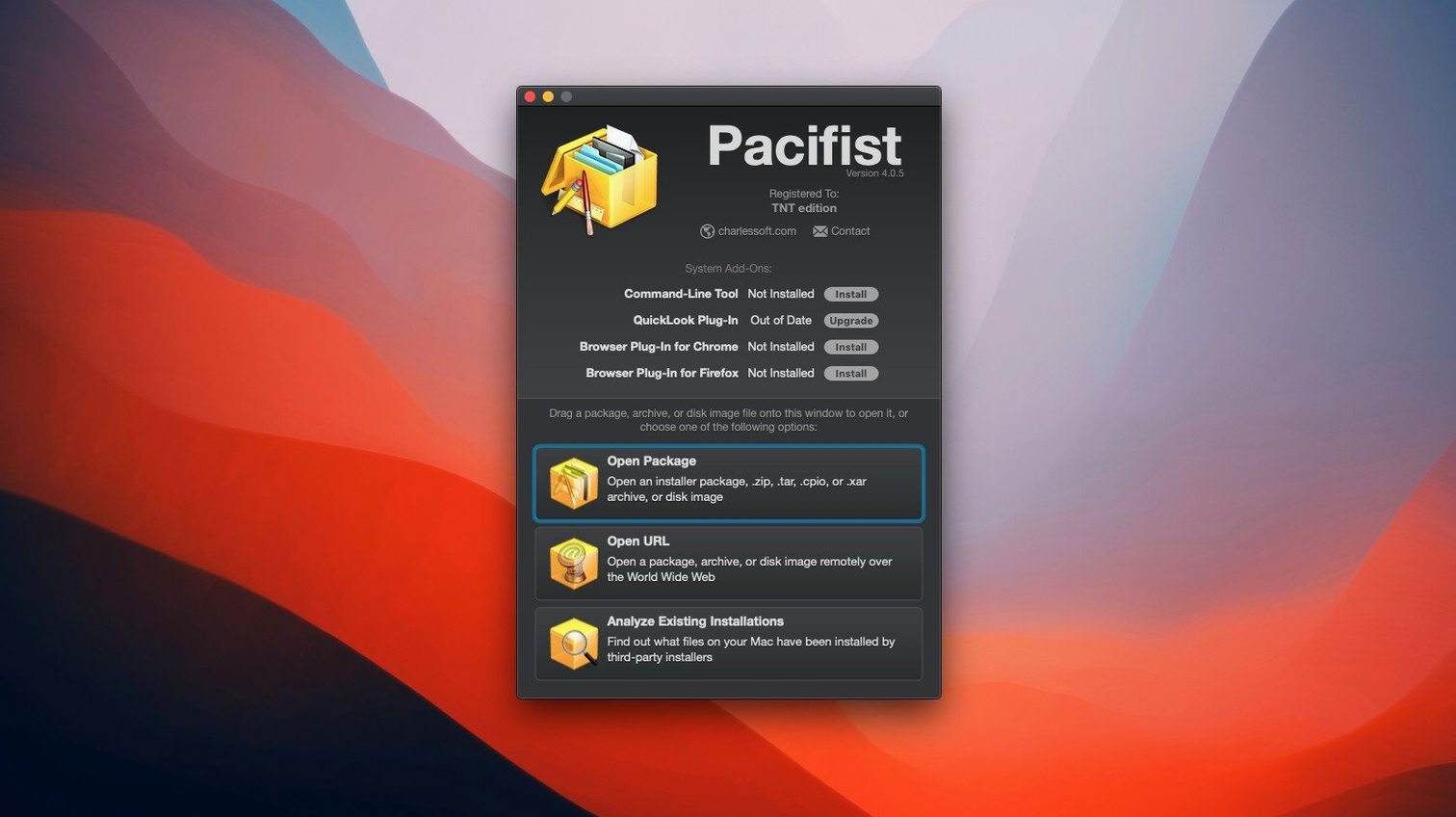
Pacifist is a macOS utility for opening package, disk image, and archive files and extracting their contents beyond what the standard tools show.
Inspect a package before installing it
Download a .pkg installer and open it with Pacifist to see every file inside. You can pick individual items and extract them without running the full installer.
Download a single file from an archive
For supported archive types, Pacifist can grab one file over HTTP without pulling the whole archive. Saves time and bandwidth when you only need a specific item.
Extract files from disk images and archives
Open .dmg, .pkg, .zip, and other common formats, then extract a single folder or file. Version 4.1.4 improves asset catalog parsing and runs on macOS Tahoe.
How Pacifist compares with similar Mac utilities
Most Mac users have Archive Utility or the command-line tar and unzip for archives, and the built-in Installer for .pkg files. Pacifist does something the others do not: it gives you a file-by-file view of installer packages before they are applied. Archive Utility handles .zip and .tar, but it cannot open a .dmg or a macOS .pkg. The Terminal approach works but requires remembering flags and paths. Pacifist sits between these two worlds, offering a visual interface for formats that standard tools skip entirely.
For disk images, Disk Utility mounts or writes them, but it does not let you browse inside and pick a single folder without mounting first. Pacifist opens the .dmg directly and extracts what you need, which is useful when the image is large and you only want a driver or a font file.
Third-party tools like Extractor or Unarchiver also handle many formats, but they focus on archives and leave .pkg and .dmg to separate software. Pacifist combines all three categories in one application, which reduces the number of utilities you need to keep installed.
Extract images from asset catalogs more accurately
Version 4.1.4 includes improved accuracy when parsing and extracting images from asset catalogs. This matters if you work with macOS themes or icon packs buried inside installers.
The app can identify which installer placed a given kernel extension on your system and whether it belongs to Apple or a third party. This is helpful when troubleshooting boot issues or cleaning up after uninstalled drivers.
Because Pacifist checks installed applications for missing or outdated files, you can run a quick review before applying a system update and catch files that might break the upgrade.
Drag a .dmg onto Pacifist and browse without mounting
Imagine you are setting up a lab machine and download a large software bundle as a .dmg. You do not want to mount it and copy everything. Open Pacifist, drag the .dmg onto its window, and browse the directory tree. You see a folder labeled Extras with documentation and a Runtime folder. Select only the runtime, click extract, and Pacifist saves it to your desktop. The rest of the disk image stays untouched.
Later you receive a .pkg file from a colleague. Before running it on the school computers, you open it in Pacifist to see what files it would write. You notice a script that modifies system preferences you want to keep. Instead of installing the whole package, you extract the data files you need and ignore the script.
Another day you need a font file from a .tar.gz archive hosted on a server. The rest of the archive stays on the server.
At the end of the term, you check one of the lab iMacs for missing or outdated files. Pacifist scans the installed applications and flags a few that have lost their original components. You extract the missing files from the original installers and restore them, avoiding a full reinstall.
- Updated for macOS Tahoe.
- Improved accuracy when parsing and extracting images from asset catalogs.
- Includes miscellaneous bug fixes.
- macOS 10.14.6 or later
- Intel-based Mac
- English interface
Questions I keep getting
What macOS versions does Pacifist 4.1.4 support?
It runs on macOS 10.15 through 11.x, with the latest update improving compatibility for macOS Tahoe.
Can I extract just one file from a package without installing everything?
Yes. Open the .pkg in Pacifist, browse its contents, and extract individual files or folders.
Does Pacifist support downloading files from the web without the full archive?
For some archive types, you can download a single file over HTTP directly, skipping the rest of the archive.
How to install
- Mount the disk image and run Open Gatekeeper friendly.
- Press Enter in Terminal to bypass Gatekeeper.
- Drag the app to the Applications folder.
- Launch the app and use the License.pacifist-license file from the Extra folder for activation.
- Disable SIP before installing.
Similar apps





Sign in or join the club to leave a comment.
Nobody has commented yet.