- Version
- LAST
- Studio or maker
- Paragon Software
- Languages
- Russian, English, German, Hungarian, Spanish, Italian, Chinese (Traditional), Chinese (Simplified), Korean, Polish, Portuguese, Finnish, French, Czech, Swedish
- Activation
- k'ed by The Shark
- Runs on macOS
- macOS 10.12 or later
- Chip type
- Apple Silicon, Intel 64-bit
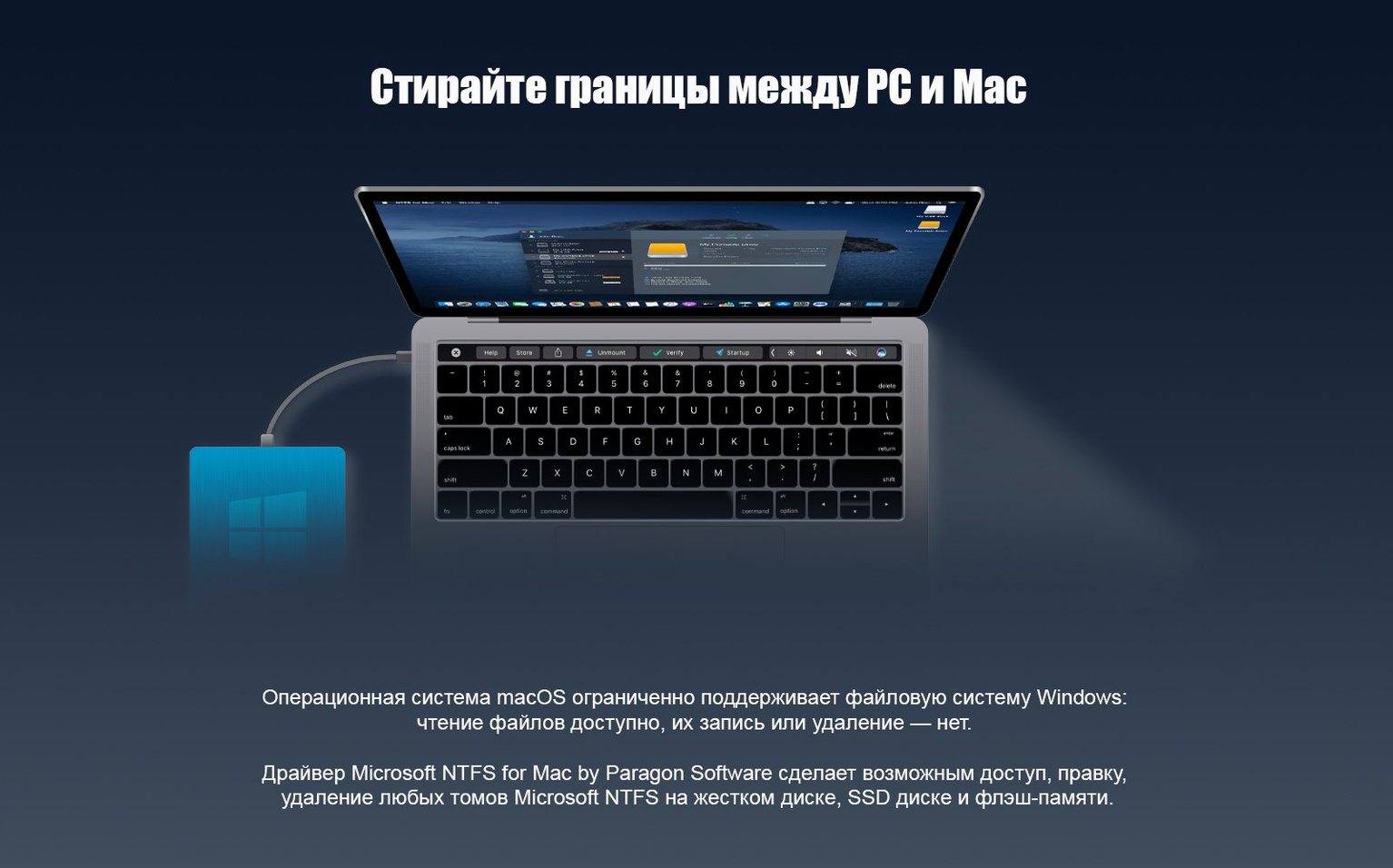
Version 15 of Paragon NTFS for Mac arrived on June 2, 2017, with a rewritten driver core that handles NTFS volumes faster and more reliably. It also adds support for Windows 10 system compression, so those compressed files on your Windows drive open without a fuss on your Mac.
Read and write to NTFS drives in Finder
- Reading and writing to USB sticks, external drives, and other NTFS volumes directly in Finder.
- Moving files between a Mac and a Windows machine without reformatting the drive.
- Working with drives that use Windows 10 compression features.
Installs as a system driver for macOS 10.12 and later
- It's a system driver, not a file manager. Once installed, NTFS drives appear just like any other volume.
- The utility supports macOS 10.12 and later, on both Intel and Apple Silicon Macs.
- The interface is multilingual, with 15 languages including English, German, Spanish, and Russian.
Fixing hiccups when copying game save files
Most of the time Paragon NTFS works without any extra steps, but a few hiccups pop up regularly. Here are the ones I hear about most often in the game club when someone is trying to copy a save file or a large mod from a Windows drive.
Drive shows up in Finder but won't mount
This usually happens if the NTFS volume was not ejected properly on a Windows machine. Plug the drive back into a Windows PC, open a command prompt, and run chkdsk /f X: (replace X with the drive letter). Once that finishes, eject the drive properly and reconnect it to your Mac. The driver should pick it up normally.
Files copy but then appear empty or corrupted
This is often tied to power or cable issues with USB drives. Try a different cable or a powered USB hub. If the drive has its own power adapter, make sure it is plugged in. A drive that loses power mid-transfer can scramble the NTFS file table, and Paragon NTFS can't fix that on its own — it just passes the data along.
Drive is read-only even after installing
On rare occasions, macOS's built-in NTFS support can interfere with the Paragon driver. Open System Preferences, go to Disk Utility, and unmount the drive completely. Then reconnect it. If that does not work, restart your Mac. The Paragon driver should load first and take over the NTFS handling.
Windows 10 compressed files still refuse to open
Version 15 includes support for Windows 10 system compression, but some older files or folders compressed with third-party tools may not be recognized. Copy the affected files to a non-compressed folder on the Windows side first, then move them to the Mac. That usually solves it.
A teacher moving exam files between Windows and Mac
Take a colleague who teaches IT in the same building. She runs Windows on a school laptop and uses an NTFS USB stick to carry exam templates, project files, and student submissions between classrooms. Twice a week she needs to grade work on her Mac at home. Before Paragon NTFS, she could only read the stick — she had to email herself any changes or use a cloud service that sometimes ate file names.
After installing version 15, she plugs in the USB stick, opens it in Finder, and edits a student's project file directly. She can rename folders, delete old versions, and copy new templates onto the same stick without reformatting. The new driver core means the stick appears as quickly as a Mac-formatted one, which matters when she has ten minutes between classes. The only extra step she needed was a quick chkdsk on the Windows side after an improper ejection left the drive unmountable — the chkdsk took thirty seconds, and the driver handled the rest.
Test with a small drive after installing
- Test with a small drive first. Grab an old NTFS USB stick that holds nothing critical. Copy a few files to it, edit a document, rename a folder, then eject and reconnect. This confirms the driver works with your specific hardware before you trust it with important data.
- Eject drives properly. Drag the volume to the Trash (or use the Eject button in Finder) every time. NTFS drives are more sensitive to abrupt disconnection than Mac-formatted ones, especially on USB 3.0 hubs.
- Keep the driver up to date. Paragon sometimes releases patches for newer macOS versions. Check the developer's site now and then, especially after a macOS update.
- No rush to commit.
Check the driver is active in System Preferences
I have one or two suggestions that make daily use a bit smoother. They are not required, but they save time.
- Check the driver is active in System Preferences. After installation, open System Preferences and look for the Paragon NTFS pane. If the toggle is off, turn it on. The driver is usually enabled by default, but a macOS update can reset this.
- Set your default mount behavior. If you connect an NTFS drive and Finder does not show it automatically, open Finder Preferences and make sure "External disks" is checked under "Show these items on the desktop." Paragon NTFS mounts drives to the desktop by default, so this setting ensures you see them right away.
- Consider a naming convention for your NTFS volumes. Short, plain names (no spaces, no special characters) help avoid odd behavior when transferring files between systems. "ExamStick" works better than "Exam Stick (2024)".
- New driver core for faster and more stable NTFS volume handling.
- Added support for Windows 10 system compression.
- macOS 10.12 or later
- Intel or Apple Silicon
Questions I keep getting
Does Paragon NTFS for Mac work on Apple Silicon Macs?
Yes, the driver supports both Intel and Apple Silicon architectures, and runs on macOS 10.12 and later.
Which languages does the interface support?
The interface is available in 15 languages, including English, Russian, German, Spanish, Italian, French, and Chinese.
Can I use Paragon NTFS for Mac to read Windows 10 compressed files?
Version 15 adds support for Windows 10 system compression, so compressed files on NTFS volumes can be accessed normally.
How to install
- Open the downloaded disk image and run the standard installer. This installs the driver so macOS can read and write NTFS volumes.
- Start the trial period if you want to test it first. The trial gives you full functionality for a limited time.
- Reset the trial period every 10 days using Trial Reset. This lets you keep evaluating the driver.
Similar apps



Sign in or join the club to leave a comment.
Nobody has commented yet.